


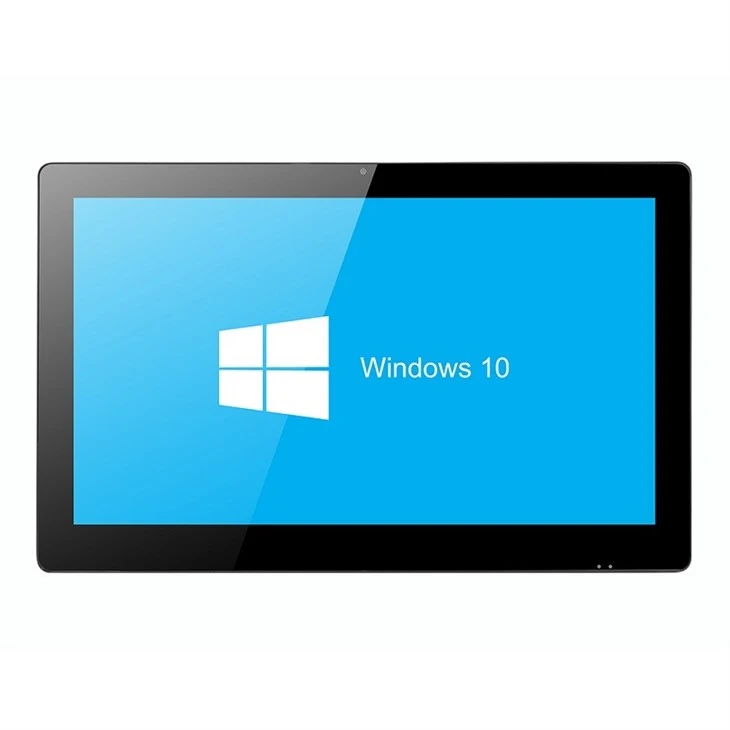
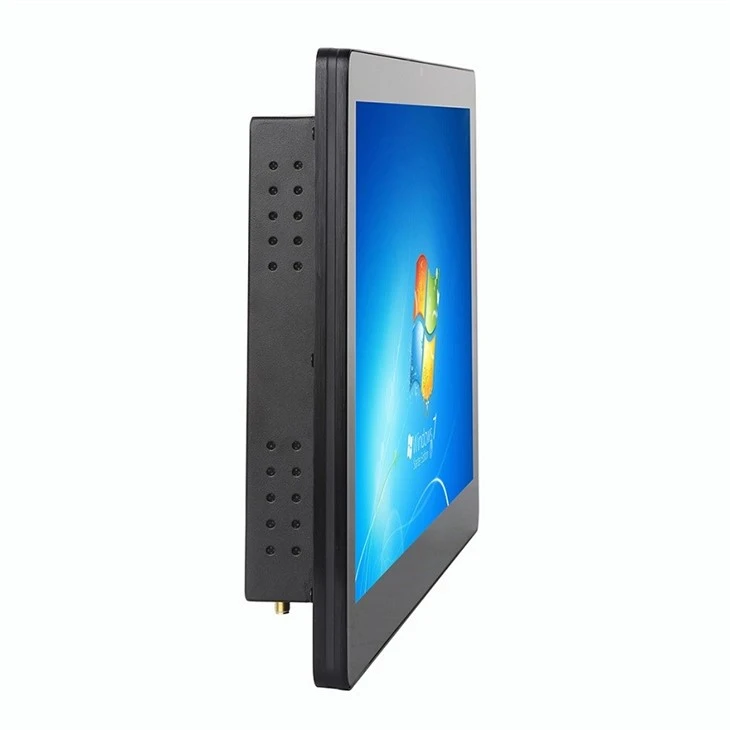
Industrial Wall Mount Panel PC


Why Choose Us
Bestview has strong R&D capabilities in software, hardware, structure, etc. combined with nearly 20 years of production and R&D experience, can customize all the display field products in almost all applications. We specialize in producing Industrial Touch Screen PC, Industrial Flat Panel PC, Wall Mount Touch Screen Computer, All in One Panel PC, Industrial Touch Panel PC, Touch PC, and other Industrial Wall Mount Panel PC.
Rich Experience
Bestview has more than 17 years of R&D and production experience in the professional field of LCD display. It has customized and developed display and peripheral products with various functions and requirements in various fields for more than 80 countries around the world.
Professional Technical Team
Bestview has more than 20 structural engineers, hardware engineers, software engineers, process technology and test engineers with many years of research and development experience.
Quality Assurance
Under the BQMS quality management system of Bestview, Combine ISO9001:2015 quality management system, control every link, and meet the product standards and certification requirements. Make sure to meet your quality requirements!
OEM Available
Has customized development such as: FPGA logic circuit customization, SCALER circuit customization, power management circuit customization, and full waterproof, high brightness, shockproof, special interface function customization, ARM and X86 architecture deep development customization, Android and application customization, battery power customization, industrial and special industries in-depth customization, etc.
With an Industrial All-in-One PC, the computer and touchscreen are integrated into one package. This creates a straightforward solution for most VESA and panel mount applications. External cables are unnecessary, creating seamless installation. If you want to know the specifications and prices of Industrial Wall Mount Panel PC, please contact us!
Advantage of Industrial Wall Mount Panel PC
Rugged and Durable
One of the most important benefits of using a panel PC in an industrial setting is that they are designed to be more rugged and durable than conventional PCs. This means that they can withstand being used in harsher environments, and can also handle being moved around more easily.
High-Quality Components
Additionally, panel PCs usually have higher-quality components than conventional PCs, which makes them less likely to break down or malfunction and can extend the life of the computer.
Better Viewing
Another important benefit of using a panel PC in an industrial setting is that the screen can be adjusted for brightness and can be viewed in direct sunlight if required. This means that workers will be able to see the screen more easily, even if they are working outside.
Touchscreen Functionality
Most panel PCs also have touchscreen functionality, which can be very helpful for workers who need to interact with the computer without having to use a keyboard or mouse. It also means that they can be positioned where necessary to improve efficiency in the workplace.
Cooling Systems
Panel PCs also have built-in cooling systems to prevent the computer from overheating, often this is fanless. This is important in settings where the computers are typically used for long periods of time and need to be able to withstand high temperatures.
Helps You Invest in the Future
With industrial computers and rugged PCs, they're forward-thinking and innovative. They offer a magnitude of connectivity options; furthermore, the performance is both intelligent and optimized, perfect for a rapidly changing environment. With a panel PC, it will help give you a competitive edge and advantage over your competitors and other industrial enterprises.
Prevent the Loss of Information When Accidents Occur
In traffic work, some criminals will be emotionally excited and behave excessively so that the equipment is easily damaged, causing information loss. But industrial panel pcs combine the three characteristics of waterproof, fall, and dust prevention; which is effective in preventing the loss of information and other consequences caused by accidents in the law enforcement process.
Application of Industrial Wall Mount Panel PC


Smartphones
Whether it runs Android or iOS, nearly every smartphone has a touch screen interface. Touch screens have become synonymous with smartphones. Some of the world's earliest smartphones used a QWERTY keypad. In the early 2000s, though, manufacturers began using touch screen displays in their smartphones.
Tablets
In addition to smartphones, nearly all tablet computers feature touch screen interfaces. Tablet computers, as you may know, run the same mobile operating systems (OSs) as smartphones. The main difference between the two is that smartphones are smaller and support calls, whereas tablets are larger and may or may not support calls. Nonetheless, they both feature a touch screen interface.
HMIs
Another common application for touch screen technology is human machine interfaces (HMIs). HMIs are industrial control systems used in manufacturing facilities and other commercial workspaces. While some of them are basic and consist of nothing more than levers and knobs, others are more complex. Some complex HMIs use a touch screen interface to provide a method of control.
POS systems
Retail stores, as well as other businesses, often use touch-screen-based point-of-sale (POS) systems. POS systems allow businesses to accept and process payments from their customers. Traditional cash registers are rarely used by modern businesses. Instead, businesses today use touch-screen-based POS systems.
Infotainment Systems
You'll often find infotainment systems with a touch screen interface. An infotainment system is a type of electronic system in automobiles that provides information and entertainment. Most infotainment systems feature touch screen interfaces that the driver or a passenger can use to control it. Some of them feature physical buttons as well, but nearly all modern infotainment systems have a touch screen interface.
Smart Appliances
Smart appliances often utilize touch screen interfaces. Smart appliances consist of washing machines, clothes dryers, ovens and other major household appliances that offer some form of wireless connectivity and/or automation. They are designed to optimize energy usage so that the respective appliance consumes less energy during operation. When shopping for a smart appliance, you may discover that many of them feature a touch screen interface. The presence of a touch screen interface offers an easy and convenient method of control.
Office Reception
The front desk of a busy business can become a chaotic place. Whatever business the staff is supporting, from a law firm to a construction company to a veterinary clinic, they are dealing with phones, paperwork, customers, and other employees. These front desk teams are often the heart of any business, and they would welcome simplification to their non-stop daily tasks. Luckily, there's a product that seems made for their unique work processes.
Medical Clinics
Doctors have moved almost entirely to electronic medical records for charting their patients, and this is a good thing for anyone concerned with quality and continuity of care.
With an AiO touch screen computer in every patient room, doctors and nurses can easily look up records, get vital info, and even share changes or updates with the patient. From reviewing an X-ray to watching a video detailing a physical therapy plan, the possibilities for how patient care can benefit from these computers are endless.
Classrooms and Libraries
Kids are attracted to the responsiveness of tablets and other touch screen devices, but those smaller products can't always manage the memory and processing requirements of the modern classroom.
AiO touch screen computers offer a powerful tool to groups of all sizes. They give teachers a way to share multimedia, produce their own learning content, and engage with their students in a way that's on par with the top learning machines on the market. Plus, the slim design can make it fit into even the tiniest classrooms, such as portable or "pop-up" classrooms.
Libraries can make good use of these tools, too. Whether it's to stand in as a search tool for the virtual card catalog or to provide a way for kids to browse and research, the touch screen makes it seamless for even the tiniest library patrons. They are far and away one of the most user-friendly tools for a librarian to offer.
Homeschools
Home education is on the rise, and parents want to give their children every advantage when learning in their homeschool spaces. The AiO desktop touch screen product makes a suitable learning machine that can double as a personal entertainment station after school work is done.
Multiple students of all grades and ages will find it simple to toggle between profiles and use the touch screen tech to complete online lectures, play educational games, and work on creative projects.
Home Offices
Another way the AiO touch screen desktop is creating opportunities for performance and productivity is within the small business home office. Whether you do your work in a dedicated home office, the corner of a bedroom, a makeshift closet office, or a backyard "shoffice," this product is created to fit your business needs and your personal style without much fuss or planning.
Photography and Video Studios
Of all the small businesses out there today, photography pros and videographers have one of the best opportunities to incorporate a world-class AiO desktop touch screen computer into their workflow. It's the perfect solution for your office because it's a PC desktop with all of the storage and memory capacity you'd need to save, browse, and edit photos and videos.
It can also function as a way for clients to view and order their prints and copies. Let them use the high-res touch screen to point out any changes they'd like to their final product before production. It's a great customer-facing solution for any artistic pro.
Senior Care Centers
One of the most sensible uses for a touch screen desktop monitor is for older computer users. The larger, brighter screens are easy for seniors to see, and the touch screen capability makes it simple for them to learn the most basic programs and games.
Email, web browsing, and video chat are popular uses for this demographic of consumer who may be getting their first introduction to computers at a senior center, assisted-living facility, or library program. The AiO is a favored choice of computer for anyone who is diving into tech for the first time, young or old.
How to Choose Computer Specifications?
Display
Unlike with traditional desktop PCs, with an all-in-one computer, what you see is what you get-for the life of the PC. With few exceptions, you'll never be able to upgrade without chucking the entire machine, so choose accordingly. In addition to multitouch capabilities (to support Windows 8), you should consider three other key factors: display technology, display resolution, and display size.
LCD panels that employ IPS (in-plane switching) or PLS (plane-line switching) technology are vastly superior to those based on TN (twisted nematic) technology. IPS and PLS displays are more expensive, and you might find them only in larger all-in-ones, but they are worth every cent.
CPU
Choose an all-in-one with a desktop processor if you intend to perform in-depth photo editing, manipulate complex spreadsheets, or engage in other computing-intensive tasks. If your work is less demanding, an AIO built on a mobile CPU will be thinner and quieter, and will consume less power. Faster clock speeds buy incremental performance within a particular class, but your desktop-versus-mobile decision affects performance the most.
Memory
Look for systems with at least 6GB to 8GB of memory. Most all-in-ones offer relatively straightforward memory expansion, so you can add more if you need it; but you might discover that a limited number of memory slots will force you to replace existing memory modules with higher-capacity ones, rather than add to existing DRAM.
Graphics
Buy an AIO with discrete graphics if you plan on any serious gaming; models with integrated graphics hardware won't be up to the task. Note, however, that the limited airflow in an AIO design typically restricts the manufacturer to using a mobile graphics processing unit. Such GPUs can run 3D games, but you will need to dial down the resolution and detail levels to achieve acceptable frame rates.
To date, we know of only one AIO PC that uses all desktop components, including a top-of-the-line Nvidia GeForce GT 680 GPU: the Maingear Alpha. We expect to get one of these machines into the PCWorld Labs for a hands-on-review soon.
Storage
Most AIOs use mobile hard drives, which trade capacity and performance for smaller size and cooler operating temperatures than desktop PCs. You'll want at least 1TB of storage. We've seen only a few AIO PCs outfitted with solid-state drives, but some higher-end models use small SSDs as a persistent cache for higher-capacity mechanical drives.
Optical Drives
Entry-level AIOs come with DVD burners/players. Upscale models should come with a least a Blu-ray player (if not a Blu-ray burner). If you're buying a custom configuration and don't think you'll ever watch Blu-ray movies on your computer, you can save a few dollars by including a less-expensive DVD burner in your machine.
Connectivity
Only the most basic AIO won't have an integrated Wi-Fi adapter. If the machine you choose lacks one, you can add it by plugging in an aftermarket USB adapter (choose either 802.11n or-for a future-proof network-an 802.11ac model). Bluetooth support is convenient for connecting Bluetooth printers, tablets, and smartphones.
I/O Ports
The all-in-one you select should have at least two USB 3.0 ports, but the more, the better (either USB 2.0 or USB 3.0). An eSATA port will enable you to attach a very fast, high-capacity, external mechanical hard drive. A flash memory card reader (SD, Compact Flash, Memory Stick, and the like) is another welcome feature, since it can make quick work of copying files from your digital camera or camcorder.
HDMI
An HDMI input lets you connect a gaming console, a cable or satellite set-top box, a camcorder, or another digital video source to your all-in-one to take advantage of the computer's display. Models that allow you to use the display without turning on the computer will consume less power. HDMI-out is a less common feature on AIOs, but you could use it to drive a second display.
TV Tuner
An onboard TV tuner lets you watch over-the-air broadcasts on the AIO's display. If you subscribe to cable or satellite TV, however, you'll be much happier plugging a set-top box into the machine's HDMI input.
Certificate


Solutions


Frequently Asked Questions
Q: What is the point of an all-in-one PC?
Q: Is a all-in-one computer better than a PC?
Q: What does all-in-one mean in PC?
Q: Why you shouldn't buy an all in one PC?
Q: Are all-in-one computers slow?
Q: Can a all in one PC be used as a monitor?
Q: Is all-in-one good for gaming?
Q: What is the lifespan of an all-in-one desktop computer?
Q: Are all in one desktops slow?
Q: What is the difference between a PC and an industrial PC?
Q: What kind of support and warranty do industrial wall mount panel PCs come with?
Q: Are industrial wall mount panel PCs suitable for outdoor use?
Q: Where can I purchase industrial wall mount panel PCs?
Q: What operating systems do industrial wall mount panel PCs support?
Q: How do I choose the right industrial wall mount panel PC for my application?
As one of the leading industrial wall mount panel pc manufacturers and suppliers in China, we warmly welcome you to buy high-grade industrial wall mount panel pc from our factory. All customized products are with high quality and low price.
Wall Mount Touch Screen Computer, Fanless Computer, Self Service Kiosk