


Understanding the maximum usable length for USB touch cables and HDMI cables is crucial, as it primarily relates to signal degradation over long distances. Below, I'll break down the length limitations and corresponding solutions for each of these cables.
| Cable Type | Recommended Max Length (without repeater) | Long-Distance Solutions |
|---|---|---|
| USB Touch Cable | Theoretical max 5 meters (USB 2.0), practically advised under 3 meters | Use a USB Repeater or Active Optical USB Cable |
| HDMI Cable | Standard HDMI Copper Cable: 10-15 meters (1080P); For 4K signal: less than 15 meters | Use HDMI Fiber Optic Cables, HDMI Extenders, or Wireless HDMI Kits |
🔌 Solutions for Extending Transmission Distance
When your device placement exceeds the recommended lengths above, consider the following methods:
Extending USB Touch Signal
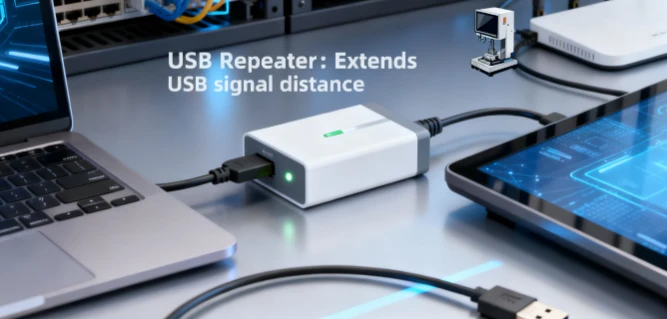
USB Repeater: Acts like a signal amplifier, allowing you to extend the USB signal for an additional distance, depending on the repeater's capability.
Active Optical USB Cables: These cables use fiber optics to transmit USB signals, enabling long-distance transmission of tens or even hundreds of meters without signal loss. They are ideal for scenarios like touch screens that require high stability.
Extending HDMI Signal
HDMI Fiber Optic Cables: This is the premium solution for long-distance HDMI transmission. Using light signals, they are immune to electromagnetic interference and can achieve lossless transmission over 300 meters and beyond. Note that these cables are directional (source end connects to the transmitter, display end to the receiver) and must not be bent sharply during installation.
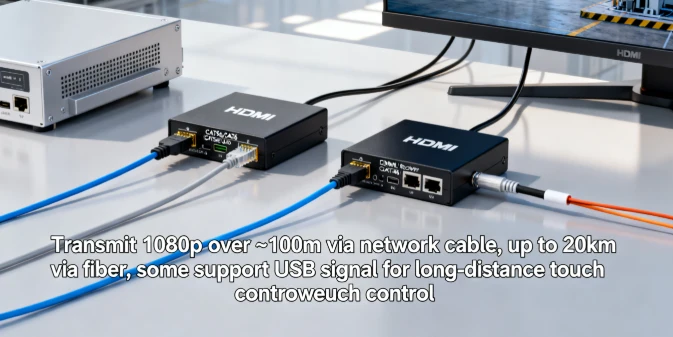
HDMI Extenders: These kits use a network cable (like CAT5e/CAT6) or fiber optics for transmission. A set includes a transmitter and a receiver. Using a network cable, you can transmit a 1080p signal for about 100 meters; with fiber optics, distances can reach up to 20 kilometers. Some extenders also support transmitting USB signals over the same network cable, which is convenient for long-distance touch control.
Wireless HDMI Kits: Suitable for scenarios where running cables is difficult. They can transmit up to 100 meters in clear line-of-sight conditions, offering greater flexibility.
💡 Other Factors and Advice
Cable Quality:
High-quality cables with better shielding and conductors can effectively reduce signal attenuation and interference.
Signal Version:
Transmitting high-resolution (e.g., 4K/8K), high-refresh-rate signals demands more from the cable, and the effective transmission distance will be shorter accordingly.
Environmental Interference:
Avoid running cables parallel to high-power electrical lines to minimize electromagnetic interference.
Practical advice for you:
Measure the Distance Precisely:
Before purchasing, accurately measure the required cable length between your devices and allow some extra slack.
Prioritize Fiber Optic Solutions:
If the transmission distance is long (e.g., over 15 meters) or you require the highest picture quality, HDMI Fiber Optic Cables are the most reliable choice.
Confirm Functional Needs:
If you need to transmit touch signals over long distances, ensure you select an HDMI extender kit that supports USB over CatX or KVM over IP functionality, or use a dedicated Active Optical USB Cable.